
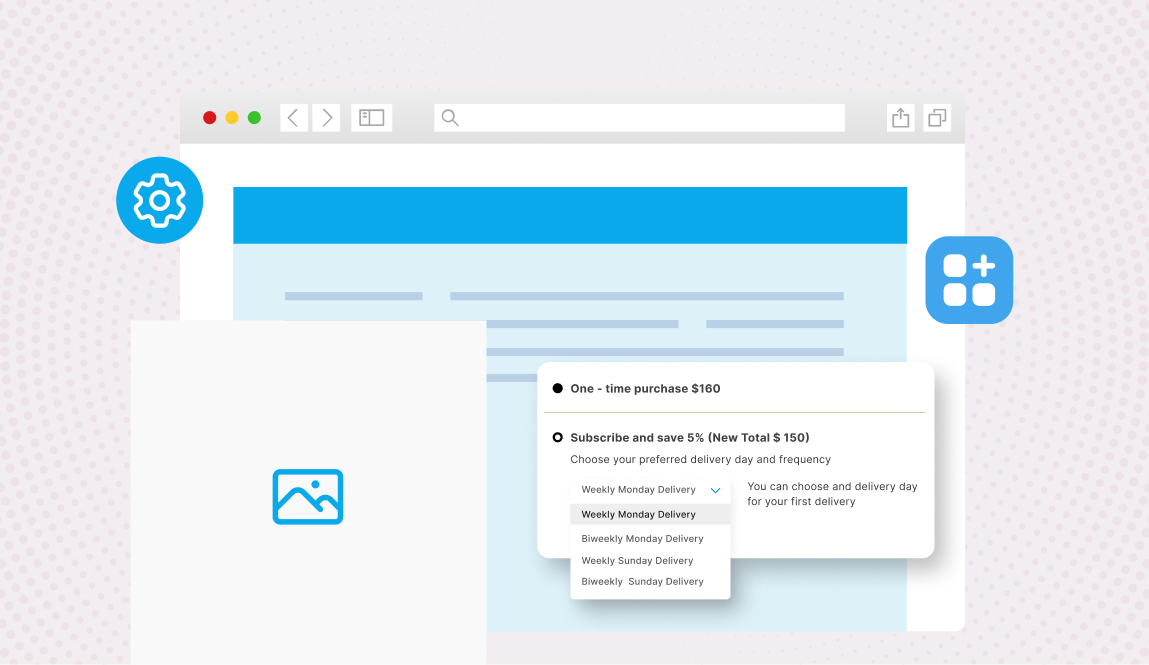
Making subscriptions a part of your eCommerce business is easier than before, thanks to the many apps and digital tech available online. Ecommerce brands can now build subscription systems without any coding.
However, one problem that merchants face is to choose the right subscription tools. The number of tools available can be overwhelming. Brands often end up with disjointed Shopify subscription tech stack.
In this blog, we help you decide which tools you need, which ones you don’t need, and how to avoid making mistakes when setting up subscriptions for the first time.
Let’s get started!
A snapshot of key ideas in this article
- Building a Shopify subscription business requires a focused tech stack — starting with three core tools: a subscription management app, a customer self-serve portal, and a billing/payment handler
- Supporting tools like email/SMS automation, analytics, and a loyalty program add value but aren’t all needed from day one
- “No-code” means configurable within limits — not infinitely flexible; most merchants can get far without a dev team
- Avoid common mistakes: overlapping apps that duplicate functions, poor integrations between tools, and choosing apps that can’t scale with your growth
- Keep your stack lean (4–5 apps max), audit regularly, and test integrations before going live
Subscription tools for Shopify: Core infrastructure
To get started with subscriptions, you will need an efficient set of tools and apps. Here are some of the tools you must have in your core infrastructure.
1. Subscription management app
The subscription management app is at the heart of your business. It manages various processes, such as recurring orders, order fulfilment, payments, discounts, pause & skip features, among others. There are many subscription apps, such as Bold, Recharge, and Appstle Subscriptions. Here are some of the most basic features to look out for in the app:
- Manage failed payments
- Skip, swap, and pause features
- Automate discounts
- Order notifications, renewal reminders
- Apps built on Shopify’s native subscription API
- Gamification features

2. Customer portal and self-serve controls
When customers find it hard to manage subscriptions, they tend to cancel. Instead of contacting customer support, they avoid the hassle by cancelling. Here’s how you can address this problem.
- Design a customer portal that doesn’t create friction between the subscriber and the controls
- Create portals that require minimal number of clicks to perform tasks
- Make the customer portal mobile friendly
- Ensure it supports your subscription model, whether prepaid, subscribe-and-save, replenishment
- If your basic subscription portal is not enough, integrate third-party tools to enhance it
3. Billing and payment handling
One of the most important tasks on your Shopify subscription app is payments. Apart from secure payments, aspects such as payment reminders, churn management, etc. are critical aspects of handling billing and payments on Shopify stores. Here are a few billing and payment features to have in your Shopify subscription tech stack.
- Automated payment reminders
- Churn and dunning management systems
- Email reminders for failed payments
- Easy payment change and update system
- Flexible billing options for different subscription periods – one month, quarterly, yearly, etc.
Supporting tools that matter
Once you have your core Shopify subscription tech stack in place, you will need other support tools to complement it and enhance processes. Here are some must-haves.
1. Email and SMS for lifecycle communication
Communication is an important factor in subscriptions that impacts retention rates, among other performance markers. For instance, if you don’t send a reminder email and a follow up after a subscriber misses the renewal payment, you might lose the customer forever. Here are some tips for communication tools for your subscription business.
- Use tools to design email and SMS flows based on subscription events
- Create messages for upcoming renewal, skipped orders, paused subscriptions, trial period ending, etc.
- Automate emails and messages using tools
- Integrate tools that have the ability to create messages based on data
2. Analytics and reporting
There are various metrics that you need to measure if you want a successful subscription model. For instance, the monthly recurring revenue (MRR), churn rate, customer lifetime value (LTV), and cohort retention, among others. While Shopify has some basic metric tools within the system, for measuring more advanced metrics, you need to integrate supporting tools.
- Choose a Shopify subscription app that has built in analytics and reporting features
- As your subscription business scales, add new tools to help manage increased needs
- For deeper analytics, use specific tools that can pull data from across the tech stack
- Consistently review metrics and make adjustments in the tech stack if required
3. Loyalty or rewards layer
While you do not require a loyalty or rewards program attached to your subscription model from the start when you launch, these can add value to your business as you grow. Subscribers love loyalty points, making it can be an effective retention strategy.
- Appstle Loyalty App integrates well with Appstle Subscription App
- The app provides a comprehensive set of features to set up and manage loyalty programs
- Set up points-earning for various actions, for example, renewal, referrals, milestones, etc.
- Integrate loyalty apps once you have stabilized subscription churn
What does no-code friendly mean
Let’s understand in detail what no-code friendly tools actually mean so that you can select the right tools in your Shopify subscription tech stack.
1. Configuration vs. customization
With no code tools, you can configure systems through an interface rather than code, within the boundaries of the tool. No code does not mean unlimited flexibility. For instance Appstle Subscriptions App allows merchants to control dunning schedules, subscription widget styling, cancellation flows, customer portal layout, etc.
Appstle has configuration capabilities. The app can push the limits a bit more than it was designed for. For example, customized branding for the portal, tiered discount logic, build-a-box setups, prepaid plans, etc. While many apps and platforms require development team intervention, Appstle is designed for self-serve and customization.
2. When plugins are enough
For subscription businesses in the early and growth stages, plugins are enough. With Appstle subscription, you can manage fixed billing cycles, subscriber self-service, and email workflows through Appstle’s configuration interface, without any code. Appstle Subscription App offers granular control over various aspects, such as pricing rules, dunning, customer portal experience, analytics, etc.

Common subscription tech stack mistakes
Here are some common Shopify subscription apps mistakes you should avoid in your Shopify store.
1. Too many overlapping tools
While adding tools might feel good because you’ll have those many features, at times it can backfire. More than one tool could end up performing the same function. For instance, maybe multiple tools have the feature of automated messaging. This can lead to multiple and confusing messages.
Follow these best practices:
- When choosing your Shopify subscription tech stack, ensure to choose apps that don’t overlap
- Audit your app stack regularly and assess what specific tasks are performed by each app
- Keep your tech stack lean with 4 or 5 apps
2. Apps that don’t integrate well
Another mistake that Shopify merchants often make is they choose apps based only on the quality of the app, ignoring its integration capabilities. Some apps might offer various advanced features but may not be compatible with other systems and may not integrate well.
Here are some tips:
- Before buying a tool, check its native integrations with other tools in your existing system
- Go through reviews from other merchants who use it for similar setups
- Test the integration before going live with it
3. Scaling problems after launch
Another issue with no-code subscription setup is merchants not assessing the tools’ scaling capabilities. While the tools might work well for smaller Shopify stores and during the initial launch period, once your subscription business starts scaling, you’d need tools that can support scale and growth.
Here are some tips:
- Assess the tier pricing of the tool and understand what will change as you use higher tiers
- Some tools might need upgrades or additional third-party integrations to be able to manage load
- Assess the fees and hidden costs of the app before committing for long term
How to build your Shopify subscription tech stack?
Your no-code subscription setup for Shopify should include a native API subscription management app, with key features, such as dunning logic, email and SMS flows, deep analytics, and be easy to integrate with your subscription system.
Appstle Subscriptions App is a comprehensive tool that provides built-in features, as well as integrates well with third-party apps.
If you’re looking to get started with Shopify subscriptions, explore Appstle.