
If you offer product bundles in your online store you already know how bundling as a strategy helps increase average order value (AOV).
Now what if you could do the same in your brick and mortar store? Offer product bundles that customers can purchase in-store.
It’s possible, thanks to Shopify POS Bundling.
This blog will guide you how to extend bundles to in-store sales with Shopify POS bundling.
What is Shopify POS bundling?
Shopify POS bundling is a feature in Shopify’s Point of Sale (POS) structure that enables creating and selling bundles at physical stores. With this function, stores can bundle multiple products together and offer them as a bundle during the checkout process.
This bundle POS feature allows stores to bundle related products together and them as one unit at a discounted price. It supports different types of bundles, such as fixed bundles, flexible bundles, etc. This can be used for seasonal bundles, gift sets, or bundling complementary products. You can create bundles from your Shopify inventory and sell them through your retail store.
Shopify POS Bundling allows different types of bundles, making it easy to approach your in-store bundling strategy in a way which suits your customer segments. WithShopify POS, you can set up fixed bundles, mix and match bundles, tiered bundles, add-on bundles, and more.
Shopify POS features and capabilities
Let’s explore more Shopify POS features and capabilities:
- The POS system offers real-time inventory syncing, with automated stock and inventory updates, from the online as well as physical store.
- It offers flexible payment methods, such as carts, digital wallets, etc.
- Merchants can access comprehensive reports and analytics based on combined data from the online and physical stores.
- Shopify POS integrates and works well with other third party apps and hardware.
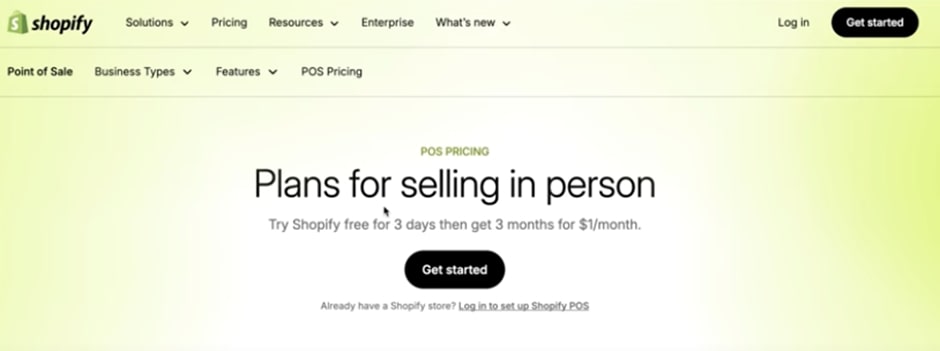
- Shopify POS bundling is available at different pricing plans based on the needs of different businesses.
Shopify POS bundling benefits
Integrating Shopify POS for bundling has many benefits. Here are some:
1. Consolidated data
Implementing Shopify POS bundling provides unified data from the online and physical store. This makes managing inventory, sales, and marketing easy and more effective. Combined data and information helps streamline operations. Moreover, real-time synchronization streamlines inventory and prevents overselling or stockouts.
2. Effective scalability
Shopify POS bundling also enables businesses to scale and grow. By offering bundles online as well as in brick and mortar stores, you can increase AOV on both channels. Moreover, data and insights from both channels can offer insights that help make data-based business decisions.

3. Customer experience
Customers get a better and more convenient experience as they can make purchases online and in-store. Data collection and analysis helps offer personalized experiences and bundles to customers.
Implementing Shopify POS bundling: step-by-step
If you’re considering omnichannel eCommerce for your Shopify store with in-store features, here’s how you can implement Shopify POS bundling.
Step 1: Plan and prepare
- The first step to planning Shopify POS bundling is to get an understanding of how bundles are performing on your site. Analyze which bundles perform well, check conversion metrics, AOV, what feedback customers are sharing, etc.
- Next, conduct inventory assessment. Ensure you have enough stock for bundle components.
- Your staff and team members will also require training. For instance, they should know how to present bundles, how to process bundle sales in the POS system, etc.
Step 2: Technical considerations for Shopify POS bundling
- To begin with, create bundles in the Shopify admin panel and ensure they are marked as available for POS. Ensure correct pricing, inventory tracking, etc.
- Make sure your POS app is configured to the bundles. Organize bundles, create custom collections, tag bundles for easy processes.
- Set up payment and tax configuration processes to manage bundle discounts and tax calculations.
Step 3: Store integration
- Create displays in the store to highlight and showcase bundles. Alongside, show savings and its value proposition if bought as a bundle.
- Train your in-store staff to identify bundling opportunities based on their interaction with customers.
- Provide material and information to in-store staff that helps them in better communication about bundle value and benefits.
In-store bundling tips and best practices
To ensure your omnichannel eCommerce experience with online Shopify and brick and mortar stores is seamless and efficient, follow these useful tips.
1. Communicate value clearly
Your customers should easily understand the benefits and value of buying products as bundles. Clearly display the savings and convenience aspects. Also, use different tactics to display discounts and savings. For instance, show the original price, strike it out, and show the discounted bundle price.
2. Offer flexibility
Customers might prefer to create their own bundles or request for specific bundles. Give them the flexibility by addressing their requests. This means you should have multiple bundle configurations ready in your store.
3. Ensure seamless checkout
Your Shopify POS bundling system should be set up to make the checkout process easy. Moreover, your staff should know now to troubleshoot if there are issues during bundle checkout.
4. Real-time tracking
Setting up real-time tracking can help you avoid situations such as stockouts and delays. By monitoring your bundle inventory in real-time, you can know which products are available and those that are close to stockouts.
5. Forecasting adjustments
Your POS bundle sales can impact the demand, supply, and inventory of individual products. Hence, plan your inventory, purchasing, and related tasks by considering bundle-driven increased demand for products.
6. Sync online and POS
Ensure you synchronize the different channels via which you sell bundles, for instance, online and POS systems. This will help avoid overselling bundle components and any misinformation.
7. Proper staff training
When offering Shopify POS bundles, ensure your staff is trained and knowledgeable about the bundles, the savings, benefits, and value to customers. They should also practice upselling techniques while interacting with customers. Moreover, your staff should know how to solve minor issues related to POS bundles.
8. Measure revenue metrics
One of the most important metrics to track is the revenue. What is the bundle penetration rate, track the AOV increases over a specific period of time, and revenue from different channels (Shopify and brick and mortar stores). Also compare revenue between channels to optimize.
9. Track customer metrics
Your Shopify POS bundling strategy has to be designed with your customers at its center. Hence, measure your customer satisfaction score, the return rate and abandonment rate for bundles, repeat purchases, customer feedback, etc. Measuring this will help you offer what customers want.
10. Continuous optimization
Collect customer feedback, conduct reviews and surveys and run A/B tests for bundles to enhance your Shopify POS bundle performance. To do so, you can automate the process using your Shopify bundling app and create in-store systems to identify patterns, analyze data, and optimize.
Wrapping up
By integrating Shopify POS bundling in your Shopify store, you can connect your online and physical stores. The POS system can help increase AOV, sales, enhance customer experience, and scale your business across channels.
To ensure your Shopify online and in-store bundling strategies are in sync, integrate a smart bundling app – Appstle Bundles & Discounts App.
Appstle Bundles & Discounts App features:
- Targeted bundles and discounting
- Real-time customer data analytics
- Seamless Shopify POS integration
- Upselling with conversion-optimized templates
- Integration with subscriptions and recurring orders
- Customization and personalization
Install Appstle Bundles & Discounts App in your Shopify store.