
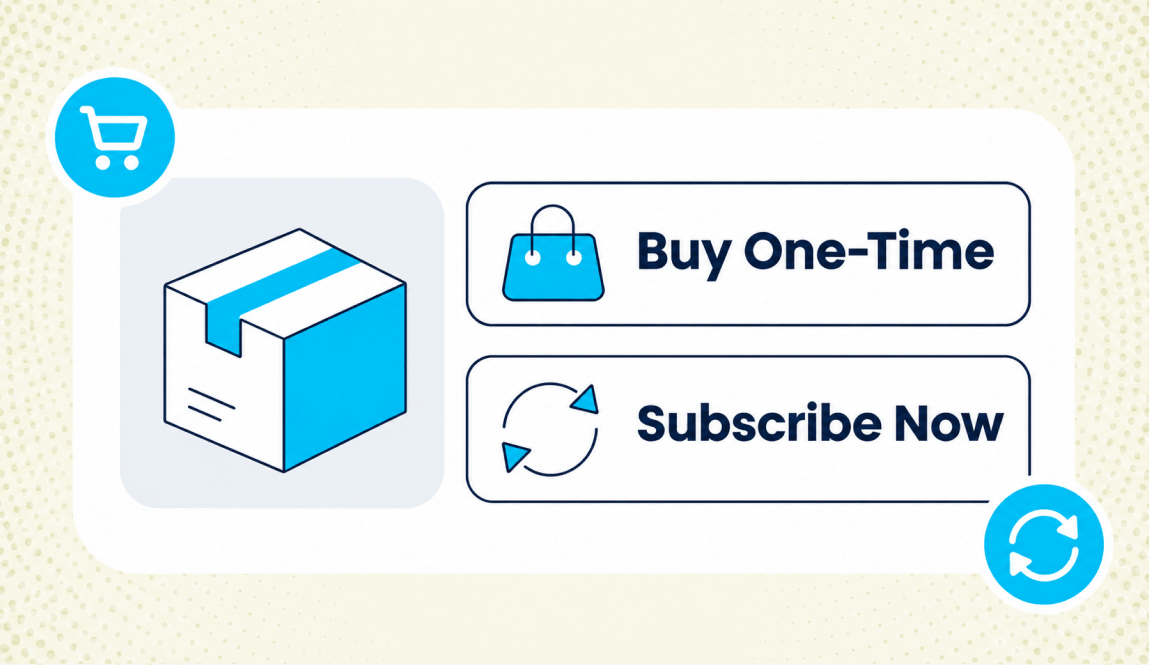
Ecommerce brands have customers who have different needs. While some customers might want a product just one time, others might want an option to buy them on a recurring basis.
For Shopify merchants, this is a challenge and a tricky situation. Should they offer subscriptions or only stick to one-time purchases? And if they want both, how do they manage them?
That’s where Shopify comes in and supports both purchase options for the same product. However, you will need a subscription app that makes this easier.
In this blog, we look at how to run subscriptions and one-time purchases together on Shopify, how to create an optimized product page experience, how to decide pricing, how to manage inventory and the entire subscription experience.
Let’s get started!
How to run subscriptions and one-time purchases together on Shopify?
Yes, Shopify allows you to sell a product as both a subscription and a one-time purchase.
You can set up subscriptions as a purchase option through Shopify’s subscription features. For each product, you can choose whether it is:
- Subscription only: customers must subscribe to buy it
- Both subscription and one-time purchase: customers pick the option they prefer
Customers can choose how they want to buy a product. If they pick a subscription, they also choose how often they want to receive the product. If they pick a one-time purchase, it is processed as a regular order, with no repeat billing.
How does the subscription + one-time purchase model work?
75% of brands offer some form of subscription (Harvard Business School). There are two ways customers buy products. The way they choose to buy decides the customer journey. The two ways are one-time purchase and subscriptions. Let’s look at the two.
One-time purchase
The customer selects the product. They add it to the cart. They pay at checkout. After this, there is no recurring order or future billing unless the customer chooses to return to your store and make another purchase.
Subscription purchase
The customer selects a subscription plan. They choose a delivery or billing frequency. They receive the product on the schedule they picked. Future orders and payments follow the subscription agreement.
For example, a supplement brand sells protein powder for $40 as a one-time purchase. It also offers a 10% discount, so $36, to customers who subscribe to monthly deliveries. A first-time shopper can buy it once to test the taste. A loyal customer can subscribe and save.
How to set up subscriptions and one-time purchases together on Shopify?
To run subscriptions and one-time purchases together on Shopify, follow this simple five-step process.
Step 1: Choose a Shopify subscription app
One of your first steps should be to find an efficient subscription app for your Shopify store. Install a subscription app from the Shopify App Store. Appstle Subscriptions App is an app preferred by merchants across industries. When comparing subscription app options, consider these factors:
- The subscription models they support. Your app should have the ability to support different types of subscriptions, such as build a box, curated boxes, pay as you use, etc.
- Billing options. Choose an app that allows different types of payment methods and billing settings.
- The customer portal should be comprehensive and easy for subscribers to use.
- Choose a subscription app that allows an advanced level of customization so that you can offer a unique and consistent brand experience.
Step 2: Create a subscription plan
- Select the products customers can subscribe to. All products may not be suitable for subscription. Pick products that customers buy repeatedly at intervals.
- Set billing and delivery frequencies, such as weekly, monthly, or quarterly.
- Set the subscription price or discount based on the products and profit margins after considering costs involved to run the subscription program.
- Decide whether the plan is pay-as-you-go or prepaid.
- Save and activate the plan.
Step 3: Enable both purchase options
- Open the product in your Shopify admin.
- Find the Purchase options section.
- Set the product to support subscriptions while keeping the one-time purchase option.
- Make sure the product is not restricted to subscription-only purchases. Shopify’s documentation explains that you can uncheck the subscription-only setting to allow both purchase types.
- Save the changes.
Step 4: Display the purchase options on your product page
- Turn on the subscription widget or purchase option selector.
- Show the one-time and subscription options clearly, making it easy for customers to make a decision.
- Show the frequency and pricing for subscriptions. Prominently show the options to encourage more sign-ups.
- Check how it looks on both desktop and mobile. Mobile optimization is critical for business success.
Step 5: Test both purchase journeys
- Test one-time orders before making them live to customers. Make adjustments if required.
- Test subscription orders before making them live to customers. Make adjustments if there are errors.
- Check pricing, discounts, cart behavior, checkout, and order details. Keep checking regularly.
- Confirm that subscription orders are created and processed correctly.
How to display subscription and one-time purchase options on product pages
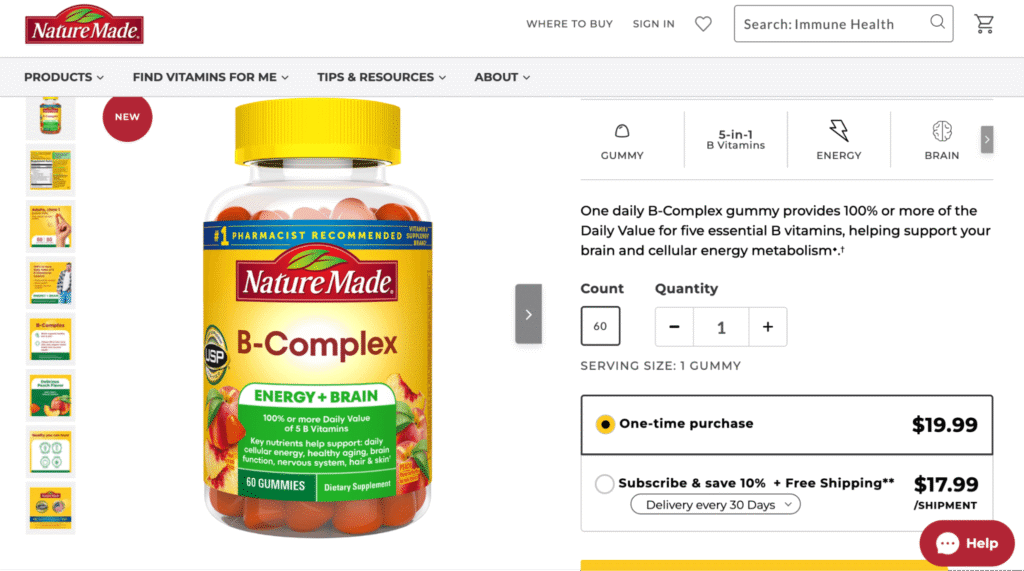
Another key factor to successfully run subscriptions and one-time purchases together on Shopify is the visibility and promotion of both options. The product pages are the best place to promote subscriptions when customers browse products for one-time purchase. Your goal should be to give shoppers a clear choice without overwhelming them. Here are a few simple rules:
- Make both options easy to spot. Use clear labels like “One-time purchase” and “Subscribe and save.”
- Show the price difference. Display the regular price next to the subscription price and the savings.
- Explain the frequency. Let customers know when they will receive and pay for future orders.
- Highlight flexibility. If you support it, mention that customers can pause, skip, or cancel.
- Avoid hidden preselection. If you preselect subscriptions, make sure customers clearly understand what they are choosing.
- Optimize for mobile. Make sure prices, frequency selectors, and buttons are easy to tap.
Here’s a simple layout you could consider:
| One-time purchase | $40 |
| Subscribe and save | $36 (Save 10%) |
| Delivery frequency | 30 days or 45 days |
| Subscription flexibility | Pause, Skip or Cancel |
How to price subscriptions without undermining one-time sales
When pricing your subscription plans, ensure you make them feel rewarding, but also that they’re not so cheap that they hurt your profit margins. Also, your one-time buyers should not feel like they are overpaying.
Consider these factors:
- Offer a modest discount to reward customers for committing to recurring orders.
- Base the discount on your product margins, fulfilment costs, and customer lifetime value.
- Think about benefits beyond price, such as free shipping or early access.
- Test different discount levels and see how they affect sign-ups.
- Don’t price one-time purchases so high that customers feel forced to subscribe.
- Offer prepaid plans for customers who prefer to pay upfront.
How to manage inventory and fulfilment for both purchase types
To efficiently run subscriptions and one-time purchases together on Shopify, you have to manage inventory and fulfillment. Your one-time orders and subscription orders will come from the same stock, and so, it will help to plan your inventory accordingly.
- Make sure both order types draw from accurate inventory counts.
- Include upcoming subscription orders when you forecast demand.
- Watch stock levels on products with many subscribers.
- Plan fulfilment around recurring order dates.
- Decide in advance how you’ll handle substitutions, out-of-stock items, and delayed deliveries.
- Check that your inventory and fulfilment tools support subscription workflows.
6 best practices for selling subscriptions alongside one-time purchases
Subscriptions are a good revenue source for eCommerce businesses. Studies show they are going to grow 3 times by 2034. However good your subscription offers are, selling them is not as easy as one-time purchases. Here are six things you can do to promote subscriptions alongside one-time purchases.
1. Make the subscription value clear
Explain why subscribing is worth it. Highlight savings, convenience, and regular replenishment cycles. Subscriptions offer many benefits that you must highlight, hence, don’t rely on discounts alone.
2. Let customers try before they subscribe
Keep one-time purchasing available for first-time buyers. After their first order, use follow-up emails to introduce the subscription option. Avoid adding commitment to the first purchase. Customers who have just tried your product are more likely to sign up when their experience is fresh and positive.
3. Offer flexible frequencies
Match delivery intervals to how quickly customers use the product. Let them choose a schedule that fits their usage, and avoid sending products more often than they need them. Because if customers are unable to use products before the next delivery, they might choose to cancel if there’s no other option.
4. Add subscriber-only benefits
Make subscriptions attractive by offering more than just discounts. Consider exclusive discounts, free shipping, loyalty points, or early access. Make the extra value obvious, and make sure the benefits stay affordable for your business.
5. Use customer behavior to promote subscriptions
Look at which products customers buy again and again. Offer subscriptions to customers with those buying patterns, using targeted email and SMS campaigns. Subscription offers designed based on customer data are more relevant than one-size-fits-all offers.
6. Track both purchase types
Monitor one-time purchase conversion rates as well as subscription adoption rates. Also track average order value (AOV) and customer lifetime value (CLTV), subscription churn and repeat purchase behavior. Then test changes to pricing, discounts, and product page design, and see what works.
How Appstle helps Shopify stores manage subscriptions and one-time purchases
If you are looking to run subscriptions and one-time purchases together on Shopify, you will need a Shopify tool built for offering both buying models. Appstle Subscriptions is one option to consider. It can help you offer subscription plans alongside regular one-time purchases. You can easily set flexible billing and delivery frequencies and give subscribers their own discounts.
The app supports both prepaid and pay-as-you-go plans. Its advanced customization features can be used to customize subscription widgets on your product pages. You can enable customers to manage their own subscriptions and track subscription performance with analytics.
With Appstle Subscriptions App, you can make it easy for customers to buy once or commit to recurring orders, and make subscription management a breeze with its automation features.
Install Appstle Subscriptions App on your Shopify store today!
FAQs
Can Shopify sell subscriptions and one-time purchases for the same product?
Yes, Shopify lets you offer the same product as a subscription and as a one-time purchase.
How do I enable one-time purchases alongside subscriptions on Shopify?
Open the product in your Shopify admin, go to the Purchase options section, and make sure the product isn’t set to subscription-only. Then save your changes.
Can customers choose between subscribing and buying once?
Yes, when both options are enabled, customers can pick their preferred purchase method on the product page.
Can I offer a discount only to subscription customers?
Yes, you can set subscription pricing or discounts that apply only to the subscription option.
Can customers switch from one-time purchases to subscriptions?
Yes, in many cases customers can buy once, and you can invite them to subscribe later through follow-up emails or by letting them start a subscription on their next purchase. The exact options depend on the subscription app you use.
Can I sell some products as subscriptions and others as one-time purchases?
Yes, purchase options are set product by product, so you can mix subscription-only, one-time-only, and both.
Do Shopify subscriptions automatically renew?
Generally, yes, subscription orders and payments continue on the schedule the customer chose, until they pause or cancel, or until a prepaid plan ends. Terms vary by plan, so state them clearly on your product page.
Can I offer different subscription frequencies for the same product?
Yes, you can offer several frequencies, such as every two weeks, monthly, or quarterly, and let customers pick the one that fits them.