
When people sign up for subscriptions, they expect their orders to reach them on the pre-defined date.
But what if products go out of stock and you aren’t able to deliver on time?
That can leave a bad impression and lead to customer frustration. When this happens subscribers usually reach out to the support team or they cancel.
In this blog, you will learn all about managing subscription orders when products go out of stock.
You will learn ways to manage recurring orders with low inventory, how Shopify treats subscription orders when inventory is short, how to prevent the problem, and how to talk to your subscribers so a stockout does turn into cancellation.
What happens when a subscription product goes out of stock?
Shopify out-of-stock subscription products can have a negative impact on the business. When inventory runs short, it can affect upcoming recurring orders. How it affects depends on your subscription app, your inventory settings and your fulfillment workflow, so check how your own setup behaves before a problem happens.
But every stockout is not the same. Here are three common categories of stockout related to Shopify subscription inventory management:
- Temporary stockout: When you are expecting new stock soon, a short delay or a skipped delivery is generally possible.
- Prolonged stockout: When you don’t know when stock will return. Customers need clear options and honest updates.
- Discontinued product: When the product is discontinued and won’t be restocked. You need to plan substitutes or end the subscription item.
Knowing what kind of stockout you are dealing with makes the next steps easier in managing recurring orders with low inventory. If you don’t plan accordingly, things could go wrong. Here’s what can happen:
- You may miss or delay deliveries
- Recurring orders may never get created or fulfilled
- There could be confusion about payments and order processing
- Expect more support tickets and “where is my order?” emails
- Skipped deliveries, cancellations and churn
However, you can avoid these situations if you plan in advance and identify how you will manage subscription orders when products go out of stock.
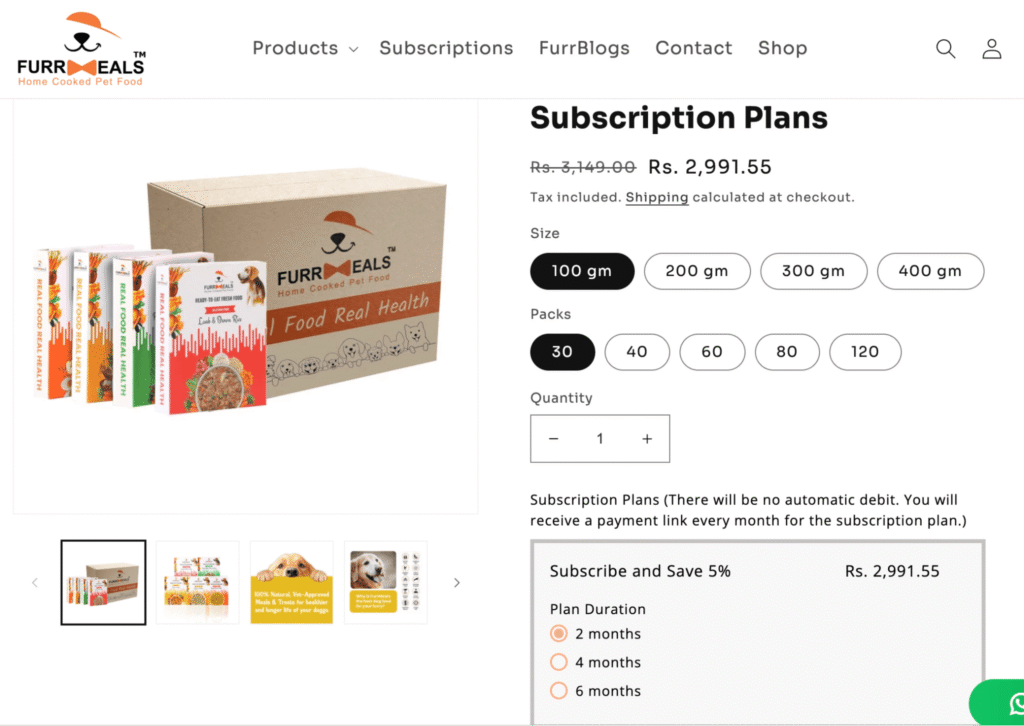
6 ways to manage subscription orders when products go out of stock
When Shopify subscription products go out of stock, there is no single right solution. There are multiple ways to tackle the stockout, and the best option depends on how long the stockout will last and what your customers would prefer. Here are six approaches you can use on their own or together to manage subscription orders when products go out of stock.
1. Pause or delay upcoming subscription orders
If stock is expected back soon, the simplest fix is to hold the affected orders until it arrives. This method works best for short stockouts with a clear restock date, ensuring subscriber retention.
- Identify which upcoming subscription orders include the out-of-stock product.
- Delay fulfilment until you have inventory again.
- Move the next order date where your subscription app allows it.
- Tell subscribers the new expected delivery timeline.
2. Allow customers to skip the upcoming delivery
Some customers would rather skip one delivery than wait or change their order. Offering a skip option keeps the subscription active instead of pushing the subscriber toward cancelling. Here’s what you can do:
- Let subscribers skip a single delivery.
- Explain what happens next, for example that their following order will go ahead as usual.
- Make skipping available in the customer portal, where your app supports it, so people can do it themselves.
3. Offer a suitable product replacement
If the original product will be unavailable for a while, one solution is to offer a good alternative product. It can keep the customer happy. Avoid surprise substitution as it can feel like a broken promise, even if the replacement is good. Asking first protects trust.
- Choose replacements that meet the same need, based on size, flavor, variant or compatibility.
- Ask for the customer’s approval before you swap anything.
- Be upfront about any price difference or change to the subscription.
4. Split subscription orders when only some products are available
Many subscriptions include more than one product. If only one item is out of stock, should the whole order wait? One option is to ship the available items now and send the missing one later. This practice works best for multi-product subscriptions where waiting for everything would leave customers without items you could send today.
Here’s what you can do:
- Check whether your subscription app and fulfilment setup support split orders.
- Consider the extra shipping and handling cost.
- Give customers a clear timeline for each shipment so they know what to expect.
5. Temporarily pause the subscription
Pausing and skipping subscription deliveries are not the same. A skip affects one delivery, whereas a pause stops the subscription until the customer or merchant restarts it. A pause usually makes more sense when the shortage will last a long time or the restock date is uncertain. Pause works well for prolonged subscription stockouts.
- Let customers resume once stock is back.
- Say clearly whether billing is paused too.
- Avoid leaving customers guessing about when their subscription will restart.
6. Cancel or retire the subscription product when necessary
Sometimes, products that go out of stock or the supply problem has no end date, the products might never come back. In those cases, retiring the product is the honest choice.
- Tell subscribers before their next billing or delivery date.
- Offer alternatives wherever possible.
- Explain how refunds, outstanding orders and future billing will be handled.
- Make the process simple and transparent.
How Shopify manages subscription orders when products go out of stock
Before choosing a solution, it helps to know what Shopify does by default. Here are some Shopify subscription inventory management features.
- Shopify checks inventory for subscription products that track inventory.
- If a product in an active subscription contract doesn’t have enough stock and overselling is turned off, the upcoming order may not be created.
- You receive an inventory error notification and can review the affected contracts.
- You can filter your subscription contracts to find the ones with inventory errors.
- From there, you can restock the product and retry billing, or deliberately create the order even though stock is short.
Shopify’s native Subscriptions app also lets you set how many times billing is retried and what action is taken if inventory-related attempts keep failing. It is advisable to review these settings so you know what will happen to your customers’ orders without you stepping in.
How Appstle helps Shopify merchants manage subscription orders when products go out of stock
While subscriptions can be managed manually when the business is small and subscribers are few, as the business scales, manually managing can become harder. That’s why you need an efficient subscription app that can take over all the repetitive tasks. Explore Appstle Subscriptions App.
Here are some features of Appstle that help manage subscription orders when products go out of stock.
- Product inventory forecasting: Estimate the stock you will need based on upcoming subscription deliveries.
- Inventory checks before subscription orders: Spot possible shortages before recurring orders are processed.
- Product swap automation: Replace low-stock or unavailable products across affected subscriptions with suitable alternatives.
- Customer subscription management: Let subscribers skip orders, pause their subscriptions or swap products themselves in the customer portal.
- Bulk subscription management: Make changes across many subscription contracts at once instead of one by one.
Install Appstle Subscription App on your Shopify store today!
FAQs
What happens when a subscription product goes out of stock on Shopify?
If the product tracks inventory and doesn’t have enough stock, the upcoming subscription order may not be created, as long as overselling is off. You get an inventory error notification and can review the affected contracts.
Will Shopify automatically skip subscription orders when a product is out of stock?
Not by default in the way many merchants expect. The order may fail to create, and what happens next depends on your retry and failure settings. Check your configuration so you know whether orders are retried, skipped, paused or cancelled.
Can I delay a subscription order until a product is back in stock?
Yes, in many setups. You can move the next order date where your subscription app supports it, then restock and retry. Tell your customers about the new timing.
Can I replace an out-of-stock product in an active subscription?
Yes, if your app supports product swaps. It’s best to ask for customer approval and explain any price difference before making the change.
Can customers skip a subscription delivery if a product is unavailable?
Yes, if you offer skipping. Letting customers skip through the portal is a good way to keep the subscription active during a temporary shortage.
Does Shopify charge customers when subscription inventory is unavailable?
Inventory failures and payment failures are handled separately. Before you create or retry an order, check whether the customer was already charged, so you don’t bill them twice.
How can I forecast inventory for recurring subscription orders?
Review upcoming recurring orders by product and delivery date, add expected one-time sales, then factor in supplier lead times and safety stock. Past order patterns will help you refine the numbers over time.
How do I prevent stockouts in a subscription business?
Forecast demand, set reorder thresholds that include committed subscription orders, check inventory before orders are processed, share forecasts with procurement, and keep safety stock for your high-demand products.