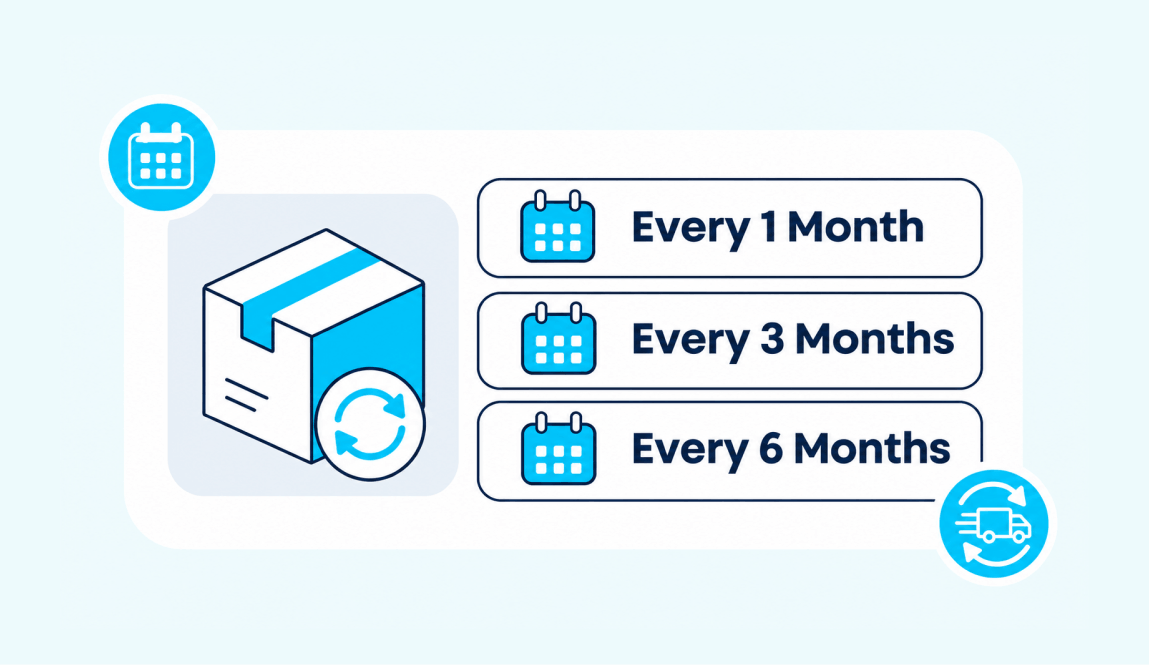
Individual customers require products at different frequencies. That’s because every customer uses products at different speeds.
For example, one customer may need to order coffee every month while another may need it every fortnight.
So, if your Shopify store is rigid about delivery frequency, it can cause friction and customer dissatisfaction. Because either customers will get subscription boxes they don’t need yet or they will run out before the next delivery arrives.
The solution: create subscription plans with different delivery frequencies based on the product and the customer.
In this blog, you will learn how to set different subscription frequencies for different products on Shopify, best practices and mistakes to avoid.
Let’s get started.
Can you offer different subscription frequencies for different products on Shopify?
Yes, you can create different subscription plans with different delivery frequencies on Shopify. You can assign different delivery frequencies to specific products or groups of products.
Here is how the different delivery frequency structure works:
- A subscription plan defines which products it applies to. It may not apply to all products.
- Each plan can include different delivery intervals, billing settings, and optional discounts.
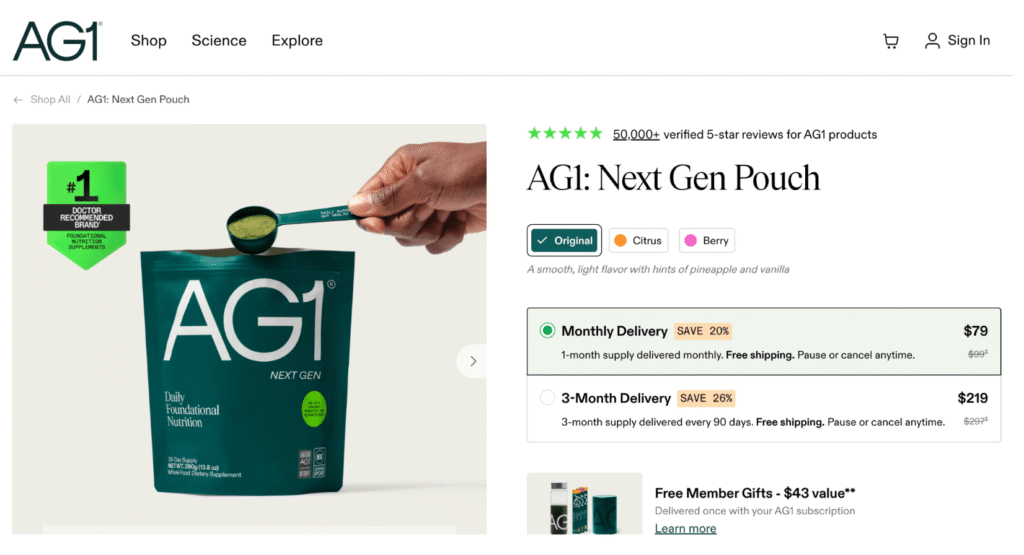
- One plan can offer multiple Shopify subscription frequency options, such as every 2 weeks or every 4 weeks.
- Different products can each have their own plan.
You can use a Shopify subscription app in addition to the platform’s inbuilt subscription features. For instance, subscription apps use Shopify’s selling plan functionality to connect subscription options to products and variants. The exact options you see depend on the subscription app you use, so it’s worth checking what your subscription app supports before you plan your setup. Explore Appstle Subscription App for advanced and comprehensive features.
Why different products need different subscription frequencies
There are many reasons why one delivery schedule does not fit the whole catalog. Here are some reasons why you must set different subscription frequencies for different products on your Shopify store.
- Different consumption rates. Customers use products at different speeds depending on quantity, household size, and habits.
- Different replenishment needs. Coffee, supplements, pet food, and skincare each have a natural reorder cycle. Moreover, quantity also plays a role.
- Different pack sizes. A larger pack lasts longer, so it needs less frequent deliveries than a smaller one.
- Different customer preferences. Some customers want convenience and a “set it and forget it” experience. Others want more control over timing.
- Different shelf lives. Perishable or time-sensitive products need more carefully planned schedules.
Here are some examples of how schedules can vary:
| Product | Frequency | Reason |
| Coffee beans | Every 1 – 2 weeks | Frequent consumption |
| Protein powder | Every 4 – 6 weeks | Depends on usage and pack size |
| Skincare products | Every 4 – 8 weeks | Varies by product and application |
| Pet food | Every 2 – 4 weeks | Depends on pet size and consumption |
| Vitamins | Every 1 – 2 months | Depends on dosage and pack quantity |
How to set up different subscription frequencies for different products on Shopify
Here’s are the steps to set up different subscription frequencies for different products
Step 1: Choose a Shopify subscription app
Install Shopify Subscriptions or a compatible third-party subscription app, such as Appstle Subscriptions App. When comparing options, check whether the app supports multiple subscription plans, product-specific frequencies, flexible billing, and customer self-service. If your business needs it, also check whether billing frequency and delivery frequency can be set separately.
Step 2: Create a subscription plan for your first product
The next step is to create a Shopify subscription plan for different products. Follow these steps:
- Open the subscription app in your Shopify admin.
- Create a new subscription plan.
- Give it a clear name, such as “Monthly Coffee Subscription.”
- Select the products or variants the plan applies to.
- Set the delivery interval and any billing settings.
- Add an optional subscription discount.
- Save the plan.
Step 3: Create different plans for your other products
Set up each plan around how the product is actually used. It’s easy to set up one plan for all products because it’s quicker, but that will lead to low customer satisfaction. Eventually, it will lead to low signups and more cancellations. Repeat the process for products with different replenishment cycles. For example:
- Coffee: every two weeks
- Protein powder: every four weeks
- Skincare: every six weeks
Step 4: Offer multiple frequencies for the same product
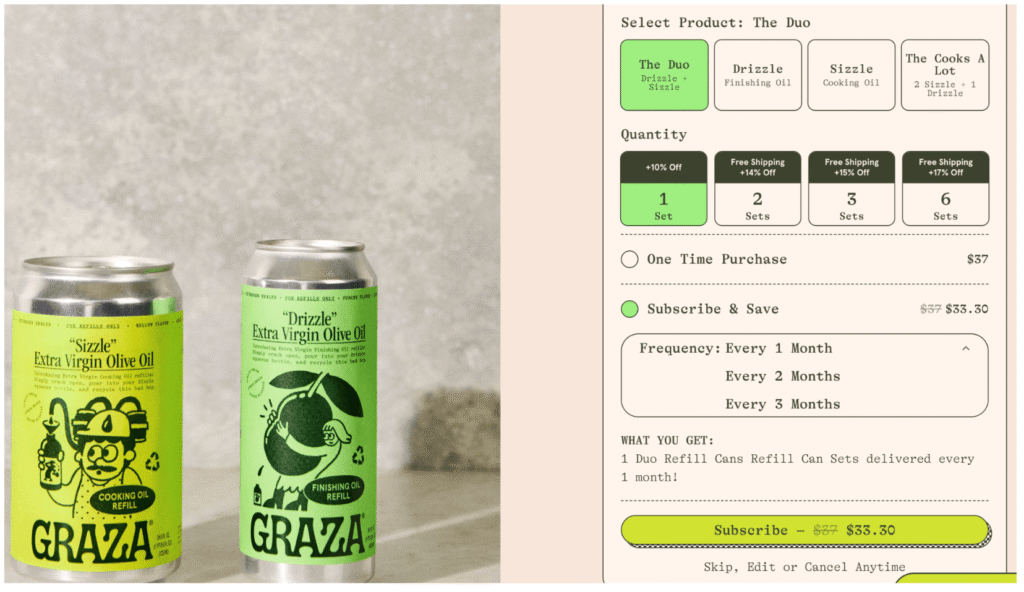
Some products suit a range of customers. A heavy coffee drinker and a casual one won’t need the same schedule. For these products, create several frequency options. Show these options clearly on the product page so customers can pick what suits them. For example, a coffee subscription could offer:
- Every week
- Every two weeks
- Every four weeks
Step 5: Assign subscription plans to the right products
Shopify’s native subscription setup supports creating plans with different subscription intervals and assigning existing plans to additional products, so you don’t need to rebuild a plan each time. Here’s how you can assign subscription plans to the right products.
- Open the product details page in your Shopify admin.
- Go to the Purchase options section.
- Add an existing subscription plan, or create a new one.
- Confirm the right plans are linked to the right products and variants.
- Save, then check the purchase options on your storefront.
How to offer multiple subscription frequencies on product pages
Setting up the plans is only half the job. Customers also need to understand their options at a glance. Here are a few tips:
- Use clear labels: Say “Every 2 weeks” or “Every month” instead of vague wording.
- Show subscription pricing: Make the price per delivery and any savings easy to see.
- Explain the schedule: Let customers know when the first order ships and when to expect the next ones.
- Let customers choose: Don’t force one replenishment schedule when you have several options.
- Highlight flexibility: Mention whether customers can change frequency, skip a delivery, or pause.
- Check the mobile experience: Frequency selectors and buttons should be easy to tap.
Billing frequency vs delivery frequency: what’s the difference?
The difference between billing frequency and delivery frequency is important to understand because they can be the same or different, based on the subscription model. Here’s the difference:
- Delivery frequency: how often the customer receives the product
- Billing frequency: how often the customer is charged
For example, one customer might receive a product every two weeks and pay for each delivery as it ships. Another might also receive a product every two weeks but pay upfront for a prepaid plan that covers several deliveries.
Shopify’s subscription features support selling plans with separate billing and delivery policies, although what you can configure depends on the app you use. It is important to be clear about these two frequencies before checkout so that customers do not get surprised or confused about when they get charged and when a box is delivered to them.
| Subscription model | Delivery frequency | Billing frequency |
| Pay per delivery | Every 2 weeks | Every 2 weeks |
| Monthly replenishment | Every month | Every month |
| Prepaid subscription | Every 2 weeks | One upfront payment |
| Quarterly prepaid plan | Every month | Every 3 months |
6 best practices for managing different subscription frequencies
Here are some best practices that can effectively help you plan different subscription delivery frequencies for different products.
1. Base frequencies on actual product consumption
Look at product quantity, recommended usage, and average replenishment time. Use purchase history and customer feedback to find suitable Shopify subscription intervals. Avoid picking schedules just to maximize the number of recurring orders. Customers notice when a schedule is built for you rather than for them.
2. Offer flexibility without overwhelming customers
Providing a few subscription options per product is enough. Because too many options that are similar intervals (for example every 3, 4, and 5 weeks) can make choosing harder. Make the recommended option easy to spot, while still leaving the choice to the customer.
3. Align discounts with subscription frequency
Think about whether longer Shopify subscription intervals or prepaid commitments justify different discounts. Set your discounts on profit margins and fulfillment costs, and test whether your incentives improve sign-ups without hurting profitability.
4. Let existing subscribers change their schedules
Where your app supports it, let customers change frequency, skip, pause, or reschedule upcoming orders. Nobody should have to cancel and start over just to adjust a delivery date. Easy changes often mean fewer cancellations.
5. Plan inventory around different recurring order frequency
Forecast subscription demand by product and interval. Account for orders that overlap, check stock before recurring orders are processed, and plan purchasing and fulfilment around expected demand.
6. Monitor performance by product and frequency
Track which products bring in the most subscribers, how churn compares across intervals, and how average revenue per subscriber changes. Watch for frequencies that customers often skip or reschedule. That’s a sign the interval may not fit the product. Use these insights to improve your plans over time.
Common mistakes to avoid when planning different subscription frequencies for different products
Most eCommerce merchants that have subscriptions end up making one or more of these mistakes. Avoid these common mistakes.
- Applying one subscription frequency to every product.
- Offering intervals that don’t match real consumption patterns.
- Confusing billing frequency with delivery frequency.
- Hiding recurring charges or delivery schedules from customers.
- Offering discounts that make longer-term subscriptions unprofitable.
- Not letting customers modify their delivery schedules.
- Leaving recurring order frequency out of inventory forecasts.
- Creating too many subscription options without a clear reason.
Wrapping up: how Appstle helps Shopify stores offer flexible subscription frequencies
Appstle Subscriptions App is designed to help Shopify merchants manage all product-related schedules from one place. Instead of single recurring schedules, you can give each product its own delivery and billing experience.
With Appstle Subscriptions App, you can:
- Create subscription plans for different products.
- Configure recurring delivery and billing options.
- Offer multiple frequency options on the same product.
- Set subscription-specific discounts.
- Manage subscription contracts and customer changes.
- Give subscribers self-service options through a customisable customer portal.
- Use subscription analytics to monitor performance.
FAQs
Can I set different subscription frequencies for different products on Shopify?
Yes, you can create separate subscription plans with their own delivery intervals and assign each one to specific products or variants.
Can one Shopify product have multiple subscription frequencies?
Yes, a single product can offer several options, such as every 2, 4, or 8 weeks, so customers can choose what fits their usage.
How do I change the delivery frequency of a Shopify subscription?
If your app supports it, customers can change their Shopify subscription frequency from a customer portal, and merchants can edit it from the subscription contract in the admin. Exact steps depend on the app.
Can billing and delivery frequencies be different on Shopify?
Yes, Shopify’s selling plan structure supports separate billing and delivery policies, such as a prepaid plan that delivers every month but bills every three months. Availability depends on your app.
Can customers choose their own subscription delivery schedule?
Yes, within the options you create, you can offer a few subscription intervals per product and let customers pick the one that suits them.
Can customers change their subscription frequency after purchasing?
In most cases, yes, when the app offers a customer portal or self-service tools. This also lets them skip, pause, or reschedule orders without cancelling.
Can I offer different subscription discounts for different delivery frequencies?
Yes, in many apps you can set discounts per plan. Base them on your margins and fulfilment costs so each option stays profitable.
How do I manage inventory for products with different subscription schedules?
Forecast demand by product and interval, account for overlapping orders, and check stock before recurring orders are processed. Your app’s reports can help you see what’s coming up.